
Every sale goes meow.
CatBar puts your RevenueCat revenue in the Mac menu bar, pings you the moment a sale lands, and makes checking the numbers the best little ritual of your day.
Free · Pro $3.99/month or $17.99 once · macOS 15 or later
Turn on the speaker in the menu bar to hear every sale meow.
A day with CatBar
8:00AMMorning recap · Pro
Yesterday, in one line.
Before the coffee is done: yesterday's total, how many sales, and how it compares.
Daily Revenue Summary
nowWednesday: $612.47 across 26 sales — up 12% from the day before
10:42AMA sale lands · Pro
Meow!
A notification the moment RevenueCat sees a purchase, with a meow if you want one.
New Subscriber
nowPawprint Journal · Yearly — $29.99
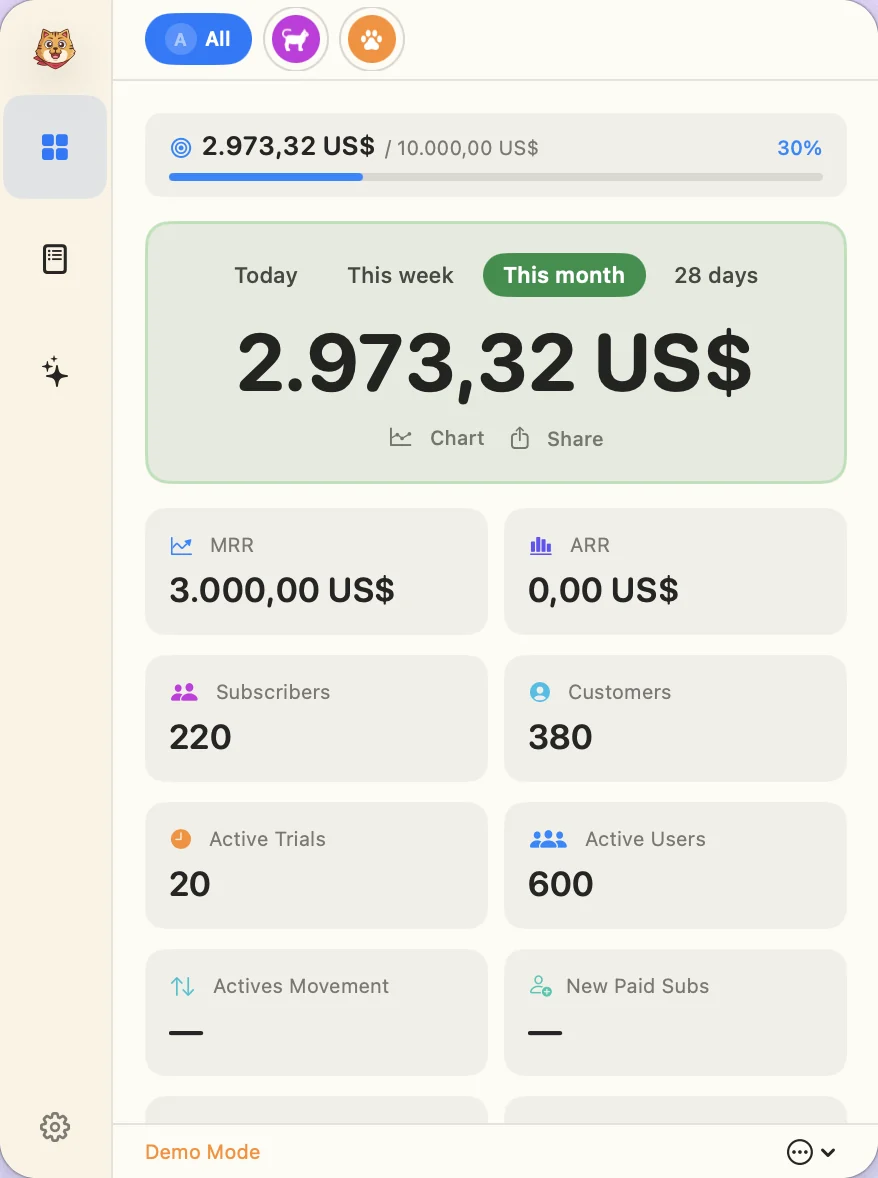
1:15PMQuick check
Your numbers, one click up.
Click the cat in your menu bar for revenue, MRR, ARR, subscribers, trials and the latest transactions. No dashboard tab, and it works offline with cached numbers.
4:00PMToday's forecast
Where today will land.
New in 1.2: a projection of today's total, with a likely range and your pace against a typical day.
Likely $660 · $610–$715 · 8% ahead of a typical Thursday
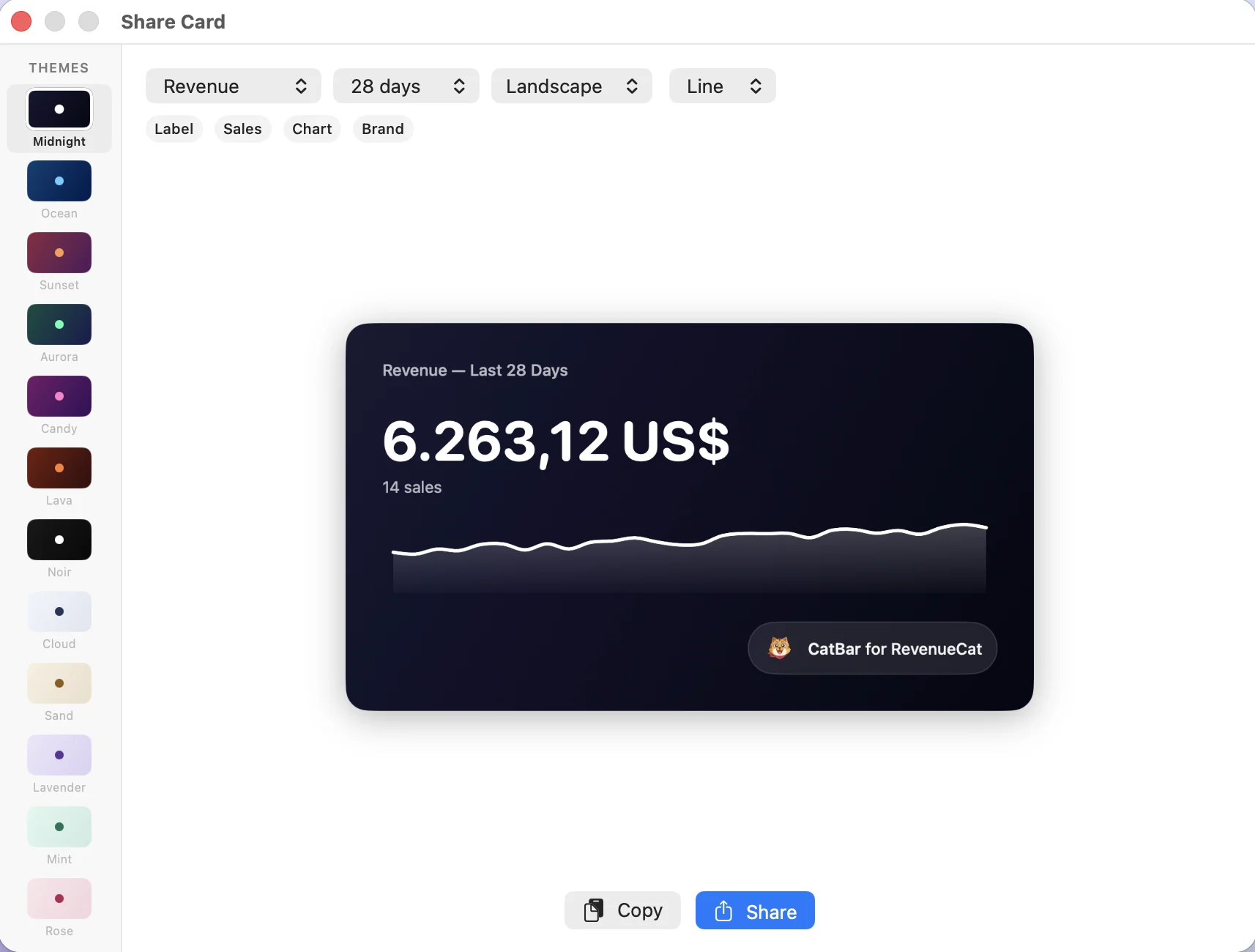
Today Forecast & range Typical Thursday 6:30PMShare the day · Pro
Brag a little.
Turn any period into a polished revenue card for social posts, investor updates or the team chat.
Questions, answered.
Private by construction. Your API key stays in your Mac's Keychain and CatBar talks to RevenueCat directly. There are no CatBar servers.
What is RevenueCat?
RevenueCat is a popular platform that helps app developers manage in-app subscriptions and purchases across iOS, Android, and web. It handles receipt validation, subscription tracking, and revenue analytics so you don't have to build it yourself.
What is CatBar?
CatBar is a macOS menu bar app that shows your RevenueCat revenue at a glance. No need to open the dashboard: your MRR, subscribers, and transactions are always one click away.
Do I need a RevenueCat account?
Yes. CatBar connects to your RevenueCat account to pull revenue data. You can also try the app in demo mode without logging in.
Is my data safe?
Your RevenueCat credentials are stored in the macOS Keychain and never leave your machine. CatBar talks directly to the RevenueCat API; there is no middleman server.
What's the difference between Free and Pro?
Free gives you the essentials: menu bar revenue display, goals, and basic metrics. Pro unlocks detailed metrics (MRR, ARR, subscribers), real-time notifications, charts, faster refresh rates, and more.
How much is Pro?
CatBar Pro is $3.99 a month, or $17.99 once for lifetime access (US prices; the App Store shows your local price). It's an in-app purchase through the Mac App Store, and you can upgrade any time from within the app.
Which macOS versions are supported?
CatBar requires macOS 15 (Sequoia) or later. AI-powered insights require macOS 26.
CatBar Pro
Free to start. Pro is an in-app purchase for when you want the full picture.
| Feature | Free | Pro |
|---|---|---|
| Today's revenue in the menu bar | Included in Free | Included in Pro |
| Revenue goals & progress | Included in Free | Included in Pro |
| Basic dashboard metrics | Included in Free | Included in Pro |
| Refresh as often as every minute | Hourly | Included in Pro |
| MRR, ARR & subscriber metrics | Not in Free | Included in Pro |
| Full transaction history | Not in Free | Included in Pro |
| Real-time sale notifications | Not in Free | Included in Pro |
| A meow for every sale | Not in Free | Included in Pro |
| Daily morning revenue recap | Not in Free | Included in Pro |
| Charts & trends | Not in Free | Included in Pro |
| Shareable revenue cards | Not in Free | Included in Pro |
| AI-powered insights (macOS 26+) | Not in Free | Included in Pro |
$17.99 once, yours forever
CatBar itself is free. US prices; the App Store shows your local price.